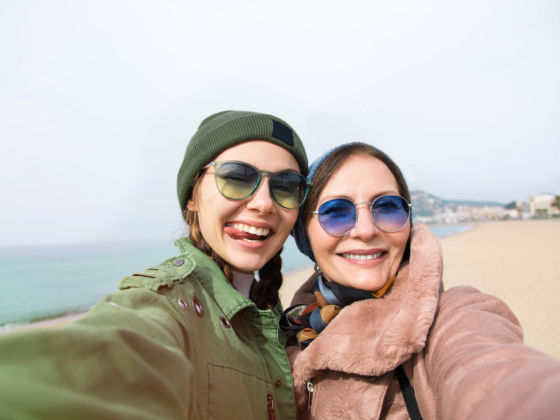
Why buy a bulky attachment to take a self-portrait shot when your iPhone can just tell you where to point?

Feature photo by iwona_kellie

Taking a self-shot with an iPhone is something many have perfected to an art – getting just the right angle and finding the little camera button on the screen without dropping a $300 phone. The rest of us need a little help.

For serious photographers, there are good, high-quality iPhone camera rigs out there. For drunken shots of you and those guys you just met at the bar at 2am who are so totally your best friends ever, give ArmsLength a try.

This app is pretty entertaining to use. Drag and size the box on the screen to the place in the shot where you want your face or faces, then touch the camera icon on the bottom. Turn the phone so the camera is facing you.

When your face is in the screen, a voice will give you instructions (up, down, left, right, away) until your red eyes and slack-jawed grin are in the box. You get a quick warning (“cheese!”) before the picture is snapped – no pushing or tapping required.

From my experiments, it worked pretty well. I got the best results when I wanted my face closer to the center – moving the box to the corners took awhile longer. The time it takes to get listen to the voice and follow instructions is definitely faster than taking two or three bad shots before getting a good one.

Price: $0.99

Trying to find new markets or become a successful travel photographer?

Grab Matador’s Free Report 15 Publications That Pay
For Travel Photography
and help accelerate your career as a photographer.

About The Author

Michelle Schusterman

Michelle is a musician, writer, and teacher just trying to see the world while doing what she loves for a living. She's taught ESL in Salvador, Brazil and kindergarten in Suwon, Korea, and now she's a full-time freelance writer living in Seattle (just to keep the city alliteration going). She'll try pretty much any food once and believes coffee is its own food group.

Electronics / Software / Apps →

Tips for protecting your smartphone based on firsthand experience.

Electronics / Software / Apps →

Introducing a few editing options – especially adding text and color editing – could...

Electronics / Software / Apps →

Works well enough that when we pull up to another insane Utah vista, I zip my SLR in my...

Electronics / Software / Apps →

Michelle Schusterman checks out what some locals recommend for eating, visiting and...

Electronics / Software / Apps →

When I first bought my iPhone through AT&T, I made the mistake of taking it to a...

Electronics / Software / Apps →

Matador writers put their Caribbean expertise to use with the launch of two new iPhone...

Electronics / Software / Apps →

The new iPhone 4 features a far superior camera than older iPhone models...

Electronics / Software / Apps →

Associate Editor Michelle Schusterman reviews the Sign Shaker app for iPhones.

Electronics / Software / Apps →

Michelle Schusterman reviews Boston Essential and other exploration guide iPhone apps...

Electronics / Software / Apps →

Two companies have introduced a way for those without programming and coding skills to...

Electronics / Software / Apps →

While the iPhone camera might never be of use to a serious photographer, Joby has...